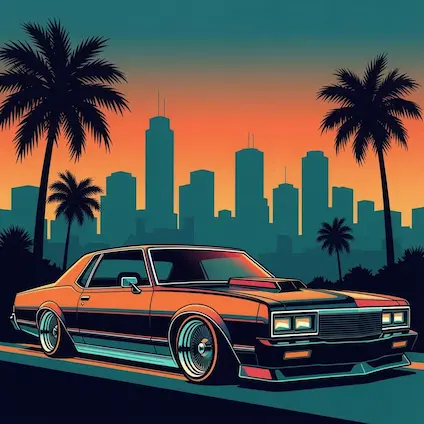
GTA Vice City for PC
Play as Tommy Vercetti in a neon-soaked 1980s crime story with open-world driving, missions, weapons, radio stations, and side activities across Vice City.

Grand Theft Auto: Vice City
GTA Vice City is a third-person open-world action game set in a fictional city inspired by 1980s Miami. The PC version gives players keyboard and mouse control, adjustable display settings, and a smoother way to revisit the story on modern Windows systems.
The game follows Tommy Vercetti after he arrives in Vice City and gets pulled into a failed deal. From there, the story moves through gangs, businesses, property missions, shootouts, and a climb through the city underworld.
Gameplay Highlights
Complete campaign missions, build influence, unlock assets, and take control of businesses across the city.
Drive sports cars, bikes, boats, and helicopters while exploring streets, beaches, bridges, and hidden areas.
Use pistols, shotguns, SMGs, rifles, melee weapons, and heavy weapons during missions and free roam.
Why Players Still Download It
Neon lighting, radio stations, beaches, and crime-movie styling give the game a clear identity.
The original PC release can run on modest hardware compared with newer open-world games.
Visual packs, vehicle packs, character skins, and quality-of-life mods keep the PC version active.
System Requirements
There are two different requirement levels players may see online. The classic PC version is lightweight, while the Steam modern version needs a 64-bit system and stronger hardware.
- OS: Windows XP / 7 / 8 / 10 / 11
- CPU: Pentium III or higher
- RAM: 256 MB or higher
- Graphics: 32 MB DirectX compatible card
- Storage: Around 1.5 GB to 2 GB free space
- OS: Windows 10 64-bit
- CPU: Intel Core i5-6600K / AMD FX-6300
- RAM: 8 GB
- Graphics: Nvidia GTX 760 2GB / AMD Radeon R9 280 3GB
- Storage: 10 GB free space
- Sound: DirectX compatible
- OS: Windows 10 64-bit
- CPU: Intel Core i7-6600K / AMD Ryzen 5 2600
- RAM: 16 GB
- Graphics: Nvidia GTX 970 4GB / AMD Radeon RX 570 4GB
- Storage: 10 GB free space
- Sound: DirectX compatible
If you are downloading the classic PC package from this site, use the classic PC version requirements. If you are playing the Steam modern version, use the Steam requirements instead.
How to Install on PC
- Open the download page and choose the available download option.
- Extract the file if it is provided as a compressed archive.
- Run the installer or setup file as administrator.
- Follow the on-screen steps and finish the installation.
- If the game does not open, try compatibility mode for an older Windows version.
Common PC Issues
Run as administrator and test compatibility mode if the game closes immediately.
Lower the resolution, check display scaling, and make sure DirectX components are available.
Restart the game after changing devices and avoid switching audio outputs while the game is open.
Popular Mods
Texture, lighting, and weather upgrades can make the city look sharper while keeping the classic style.
Car replacement packs add updated models for players who want a different driving feel.
Custom music support is one reason the PC version remains popular for replays.
FAQ
Yes. Many players run it on Windows 10 and Windows 11, though compatibility settings may be needed on some systems.
This page focuses on the classic PC version. The Definitive Edition is a separate remastered release.
Use the Download Now button near the top of the page to open the dedicated download page.