
IGI 2 for PC
IGI 2: Covert Strike is a tactical first-person shooter focused on stealth, open mission areas, and careful objective-based gameplay.
About IGI 2: Covert Strike
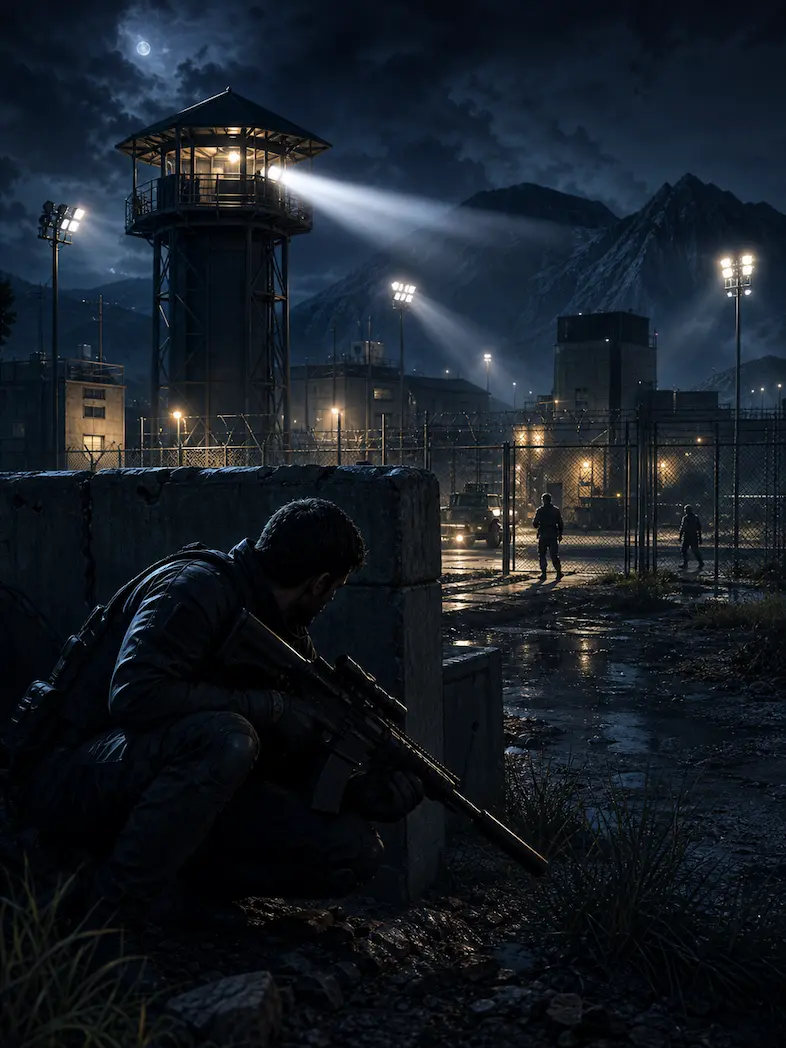
IGI 2: Covert Strike is a tactical first-person shooter developed by Innerloop Studios and published by Codemasters. It continues the Project IGI style with large mission areas, stealth routes, long-range combat, alarms, security systems, and objective-based infiltration.
The game puts players in the role of David Jones, an undercover operative working with the Institute for Geotactical Intelligence. Instead of treating every level like a simple shooting gallery, IGI 2 asks players to scout the area, watch patrols, avoid detection, and decide when to stay quiet or fight through.
Story and Mission Style
The campaign follows David Jones through covert operations linked to international threats and stolen technology. Missions often send the player into guarded compounds, military bases, production facilities, and wide outdoor zones where the objective is not just to survive, but to complete a task without raising unnecessary alarms.
Enter enemy areas, avoid guards, collect information, plant explosives, disable systems, or reach extraction points.
Levels are not fully open world, but many missions give players room to choose routes, watch patrols, and approach objectives from different angles.
Silent movement helps, but players still need to handle firefights when alarms trigger or when stealth is no longer possible.
Gameplay Features
Weapons feel more deliberate than arcade shooters, with scoped rifles, suppressed weapons, and careful positioning playing an important role.
Players may need to bypass cameras, avoid alarms, hack computers, or disable equipment depending on the mission objective.
Many levels include long sightlines, patrol routes, guard towers, and wide spaces that reward scouting before attacking.
The linked ZIP is a demo download, useful for checking gameplay, controls, and compatibility before looking for the full release.
Keyboard and mouse aiming, crouching, weapon switching, and careful movement are central to the way IGI 2 plays.
Because it is an older Windows game, IGI 2 can run on many modest PCs, though modern systems may need compatibility adjustments.
System Requirements
These requirements are suitable for the IGI 2 demo and classic Windows PC release. Newer versions of Windows may require compatibility mode.
- OS: Windows XP / Vista / 7
- CPU: 1 GHz processor class
- RAM: 512 MB
- Graphics: DirectX compatible graphics card
- Storage: Around 2 GB free space
- OS: Windows 7 / 10 / 11 with compatibility settings if needed
- CPU: Dual-core processor
- RAM: 2 GB or more
- Graphics: Dedicated or stable integrated graphics
- Storage: Extra space for extracted ZIP files and saves
How To Install or Run the Demo
- Use the Download Now button near the top of this page and save the ZIP file to your PC.
- Extract the ZIP into a simple folder such as Games or IGI2 instead of a protected system directory.
- Open the extracted folder and look for the setup file or game launcher included with the demo package.
- Run the launcher as administrator if Windows blocks the program or closes it immediately.
- If the game does not display correctly, try compatibility mode for Windows XP or Windows 7.
Common PC Issues
Run as administrator, extract the ZIP fully, and avoid launching directly from inside the compressed archive.
Try a lower resolution, compatibility mode, or windowed display settings if the screen stays black after launch.
Check in-game bindings and avoid switching input devices while the game is running.
Re-extract the ZIP if files appear incomplete, and keep the full folder structure together.
Close background apps and avoid forcing high display scaling on older games.
Restart the game after changing audio devices and check Windows sound output before launching.
FAQ
The current download link points to an IGI 2 ZIP demo package from Archive.org, not a verified full commercial release.
It can run on some modern PCs, but compatibility mode, administrator launch, or display changes may be needed.
It is a tactical stealth FPS with infiltration missions, large maps, security systems, and objective-based gameplay.
Disclaimer
GamesForPC.org provides general information, setup notes, and PC gameplay guidance for classic game topics. This website is an independent fan-made resource and is not affiliated with, sponsored by, or endorsed by Innerloop Studios, Codemasters, or any other rights holder.
All trademarks, logos, game names, and related assets belong to their respective owners. Any download, installation, or system change you make is done at your own discretion and risk.